Bekkelund Task Manager: User Manual
1. Introduction & Purpose
Welcome to the Bekkelund Task Manager! This application is designed to make it easy for everyone at Bekkelund Gård to see what tasks need to be done, take ownership of tasks, and report on their progress. Its goal is to create a clear, organized, and collaborative workflow for the entire team.
2. Getting Started: Your First Login
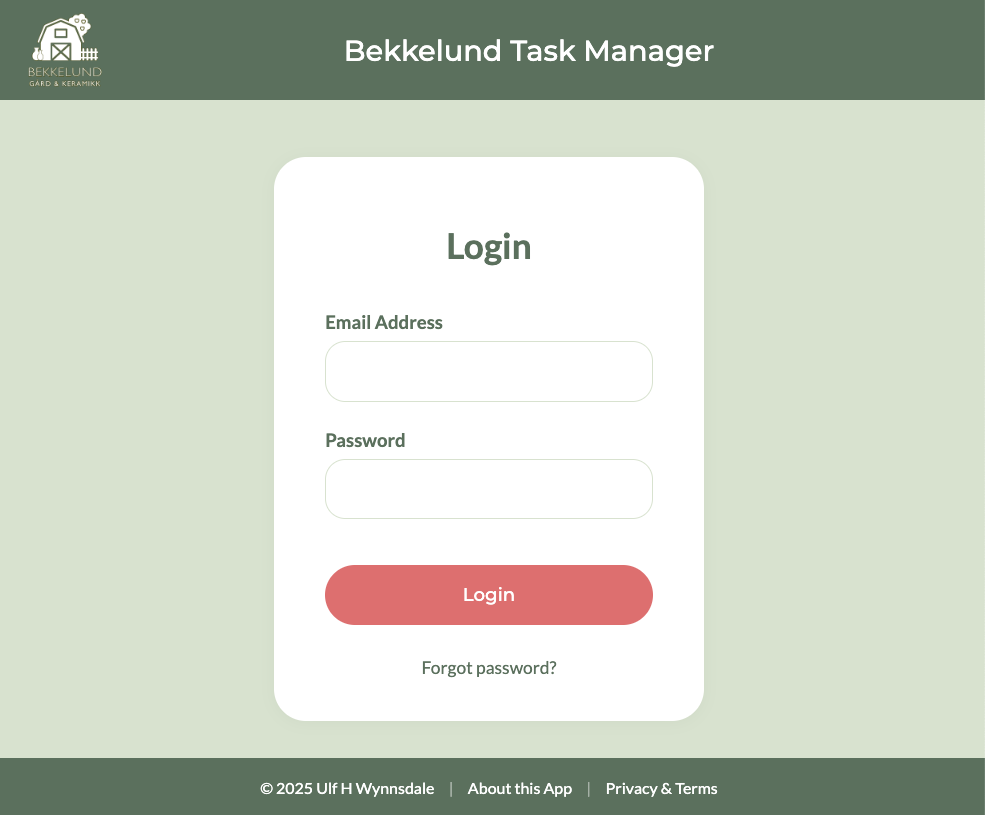
When an administrator creates an account for you, you will receive a welcome email.
- Check Your Email: Look for an email with the subject "Welcome to Bekkelund Task Manager - Set Your Password."
- Set Your Password: Click the "Set Your Password" button in the email. This will take you to a secure page where you can create your own password. This link is only valid for 24 hours.
3. The User Dashboard
After you log in, you will be taken to your main dashboard. This is where you will see all the important information.
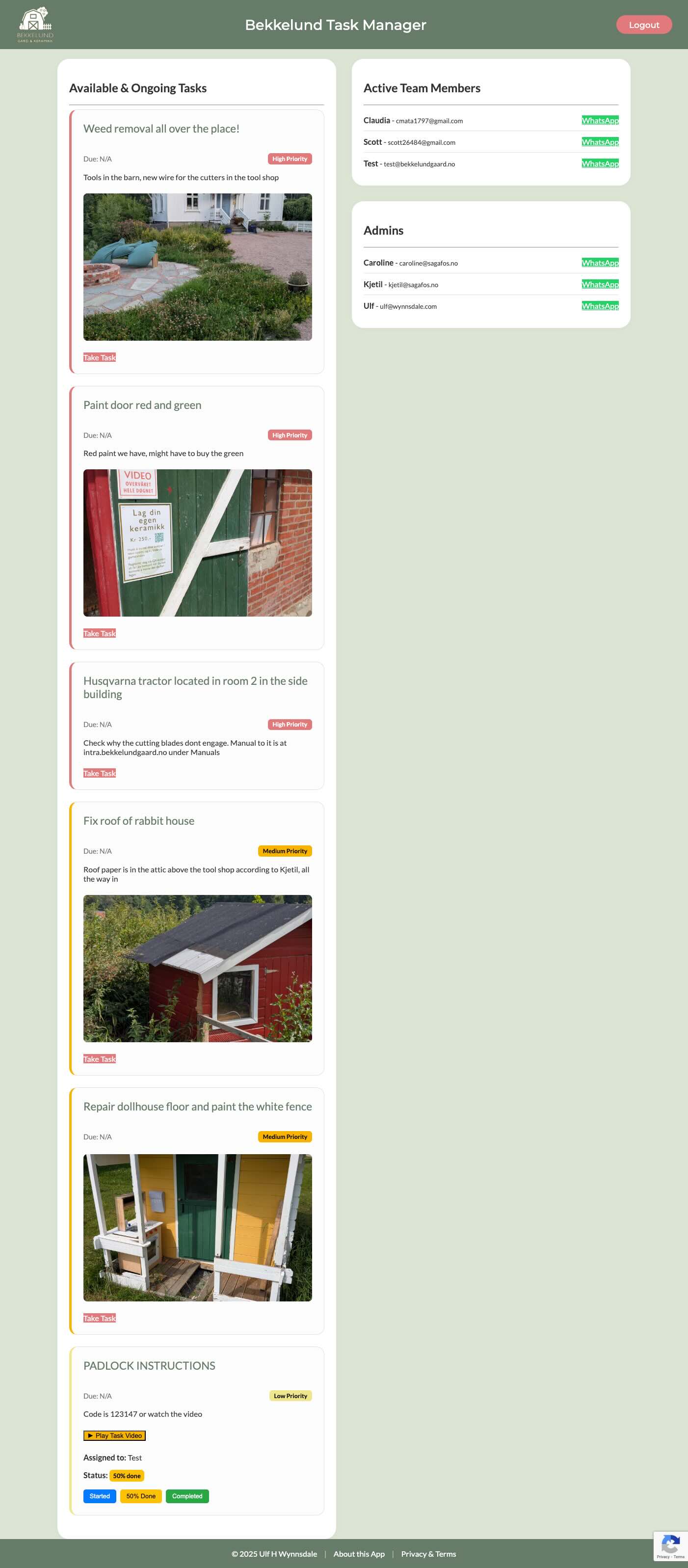
The dashboard is split into two main columns:
Column 1: Available & Ongoing Tasks
This is a live list of all tasks that are not yet completed. Each task is displayed on its own "card."
- Task Title: The name of the task (e.g., "Fix barn door").
- Priority: A colored badge (Red, Orange, or Yellow) shows how urgent the task is.
- Due Date: An optional date by which the task should be completed.
- Description: A more detailed explanation of what the task involves.
- Media: If a picture or video has been attached to the task, it will be displayed here. Videos will have a "Play" button.
Column 2: Team & Admins
This column shows who is currently on the team.
- Active Team Members: A list of all current workaways.
- Admins: A permanent list of the farm administrators.
- WhatsApp Button: You can click this to quickly send a message to any team member or admin.
4. How to Manage Your Tasks
The core of the app is interacting with the task cards.
Taking a New Task
If a task is available, it will have a red "Take Task" button.
Simply click this button to assign the task to yourself. The page will refresh, and the card will now show that you are the one assigned to it.
Reporting Your Daily Progress
Once a task is assigned to you, the "Take Task" button is replaced with three new buttons.
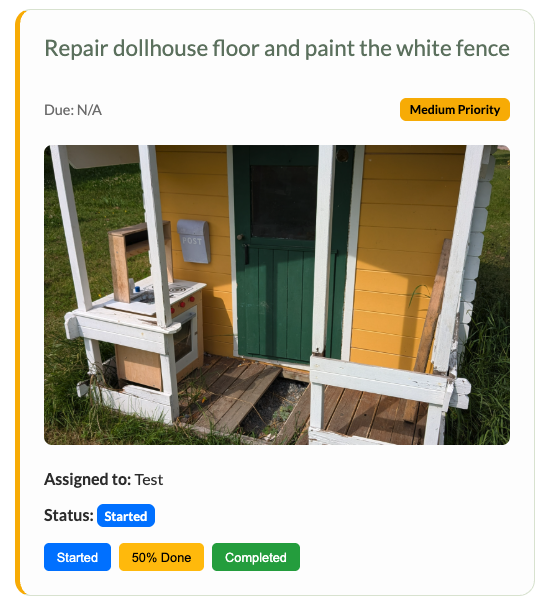
- Started: Click this when you have begun work on the task.
- 50% Done: Click this when you have made significant progress.
- Completed: Click this only when the task is completely finished.
When you click "Completed," the task will be removed from your dashboard and moved to the permanent log in the admin panel.
5. Feedback & Suggestions
Feedback or suggestions are very welcomed as we continue to improve this application. If you have any ideas or encounter any issues, please send an email to ulf@wynnsdale.com.